Digital proof of work for trades businesses: workreport is live
workreport is a job report app for trades businesses: digital proof of work, customer signature, photos, offline sync, and signed PDF handover to the office.
We launched a new SaaS product: workreport.app. Not a giant ERP. Not another software monolith that needs three workshops before anyone understands it. A focused tool for a focused problem: digital proof of work for trades businesses, the everyday job report, field service report, or signed work report many teams still handle on paper.
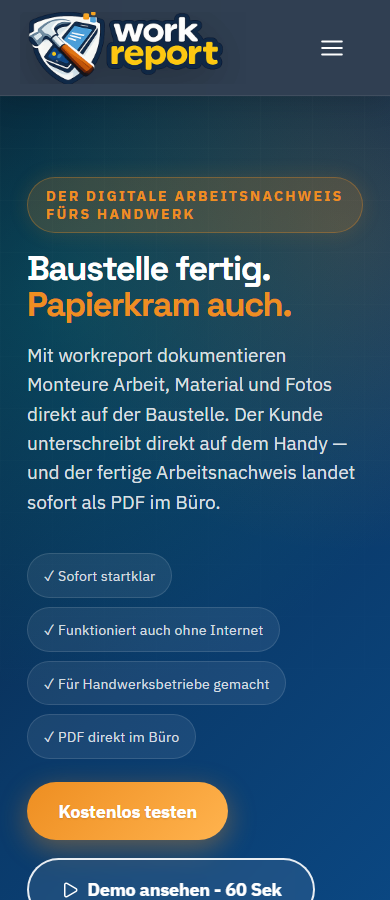
The German homepage says it well: job done, paperwork too. Field teams document work, material, and photos directly on site. The customer signs on the phone or tablet. The finished PDF work report lands in the office. And when the construction site has no connection, the app still works and syncs later.
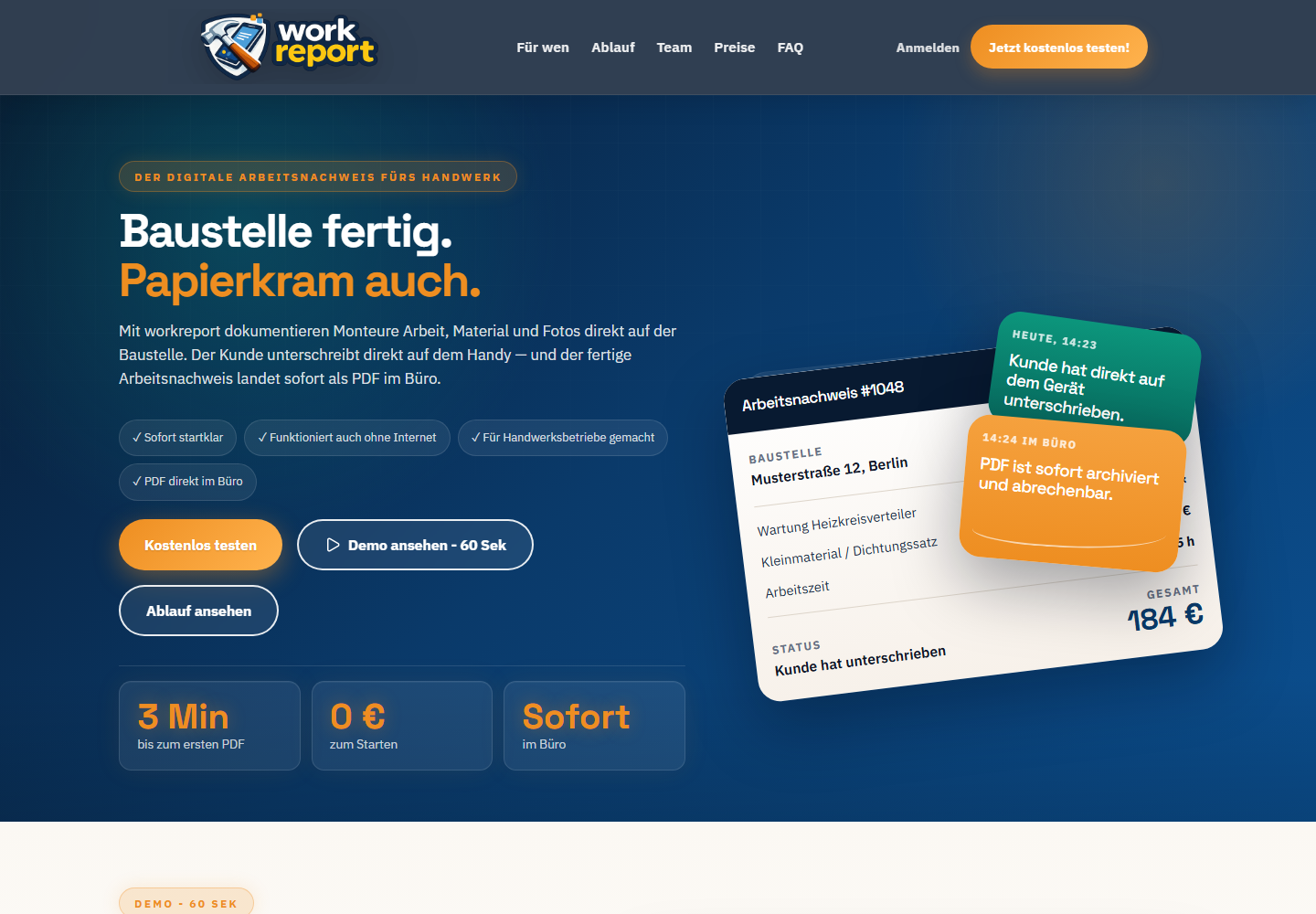
workreport is a KIBA SaaS for digital proof of work in trades businesses: customer signature, photos, offline sync, and PDF handover to the office, built from concrete customer needs.
Digital proof of work instead of paper job reports
When people search for a job report app for trades businesses, they often mean several things at once: digital proof of work, a field service report with customer signature, photo documentation from the job site, and a signed PDF the office can actually use. That is the gap workreport is built for.
The flow stays close to real operations. On site, the team records what was done, which material was used, and which photos belong to the job. The customer confirms the work report directly on the device. After that, a clean signed PDF lands where it can be processed in the office.
Why we built it
workreport did not start as a nice product name looking for a market. It came from customer needs. In conversations with trades businesses, technical service teams, and operators, the same scene kept coming back: the work is done, but the proof sits somewhere between the job site, WhatsApp, email, paper notes, a photo folder, and the office.
That sounds small. In daily operations it is expensive. A missing signature delays the invoice. A photo is buried in the wrong chat. Material was used, but not recorded cleanly. Someone in the office has to chase the field team even though everybody knows the job was finished. The proof just was not.
That is exactly where software is worth building. Not where it buries a process under twenty modules, but where a small, precise tool removes recurring friction. Digital proof of work is one of those points. It sits close to revenue, billing, customer trust, and office relief.
What workreport deliberately does well
workreport focuses on the moment when completed work becomes billable proof. That is the core. Not more, but also not less.
- Customer signature on site: the customer does not install anything. They sign on the technician's phone or tablet.
- Photos and material in the same flow: no scattered images in private chats, no loose notes, no reconstruction later.
- Offline sync: construction sites are not coworking spaces. A work report cannot fail just because reception is bad.
- PDF in the office: the proof lands where it can be processed, archived, or used for billing.
- Fast start: the product promises the first PDF in minutes for a reason. If the barrier is too high, the tool will not be used outside.
Who workreport is for
workreport fits trades businesses, technicians, field service teams, and smaller operators that do not want to replace their entire software setup. If the pain is mainly around work reports, customer signatures, photo documentation, and office handover, a focused tool can be more useful than a large trades software suite.
Typical use cases include maintenance, repairs, installation, service visits, facility services, smaller construction trades, and technical project teams. Wherever a customer should confirm what was done, a digital field service report saves time and follow-up calls.
Why this is a good tool
Good operations software rarely feels spectacular. It feels as if something annoying disappeared. That is the point here. workreport is good because it does not try to reinvent an entire trades business. It takes one painful handover and makes it clean.
For the technician, that means less after-hours paperwork. For the office: fewer follow-up calls. For the customer: a clear signed proof. For the owner: faster handover, better billability, and less guesswork about what actually happened on site.
It sounds plain. That is why it is strong. In the SME world, the winning tool is not always the one with the biggest vision. Often it is the tool people actually use on Tuesday morning.
What workreport is not trying to be
The boundary matters. workreport is not a complete trades software suite, not a CRM, not an ERP, and not a project management monster. It is digital proof of work. That constraint is not a weakness. It is product discipline.
Many companies already have systems for quotes, accounting, or scheduling. The bottleneck is not always adding another large system. Often it is digitizing the last meter between the job site and the office. That is where workreport sits.
How this fits KIBA
For KIBA, workreport is also a clear example of how we think about software. We do not start with an abstract platform idea. We start with operational friction. Once the same pattern appears often enough, it can become a product.
That is the same logic behind our AI and process work: listen, find the bottleneck, build small enough to go live, then expand with discipline. workreport is not a showpiece. It is a tool. And tools do not need to be loud. They need to fit.
FAQ on digital proof of work
What is digital proof of work?
Digital proof of work replaces paper job reports or loose field notes with structured capture on a phone or tablet. Work performed, material, photos, and customer confirmation are collected and handed over as a PDF.
Can the customer sign directly on site?
Yes. With workreport, the customer signs directly on the technician's device. The customer does not need to install an app and receives a clear record of the documented work.
Does workreport work offline on the job site?
Yes. workreport is designed for job sites where reception is not guaranteed. Work reports can be prepared offline and synced later.
Does workreport replace a full trades software suite?
No. workreport deliberately does not try to be a full ERP, CRM, or project management system. It focuses on digital proof of work, field service reports, customer signatures, photos, and signed PDF handover to the office.
Try workreport
workreport can be tested for free for 14 days. There is a Starter plan for small teams, Solo starts at EUR 9 per month, and the Business plan starts at EUR 29 per month.
Go to workreport. If a similar bottleneck exists in your company, we can also talk about building a dedicated solution.
32 AI Workflows for SMEs
Free practical guide with cost estimates, decision matrix, and funding guide for SMEs.
Download PDF for freeReady for the next step?
Talk to our AI experts – the first consultation is free and without obligation.
This article is part of our comprehensive guide: AI for SMEs — The Complete Guide for Medium-Sized Businesses
Related Articles
It’s Not Over: What the Jevons Paradox Reveals About AI and Work
Jevons paradox, AI, and work: why cheaper intelligence doesn’t automatically mean less employment—and what SMEs can learn from it.

The Golden Wave: Turning Rented Intelligence into Assets You Own
Frontier intelligence is unusually affordable today. Lasting value comes from turning it into proprietary knowledge, software, and skills.
OpenAI Forward Deployed Engineers: AI Practice Sprint for SMEs
OpenAI FDEs, Anthropic Applied AI engineers, OpenClaw, and Hermes Agent show why SMEs need AI workflows, deployment, agentic AI security, and funding in one offer.